
WiFi Walkie Talkie app - WiCall1.16 - Get APK
You'll be able to download in few seconds.
Publisher Description
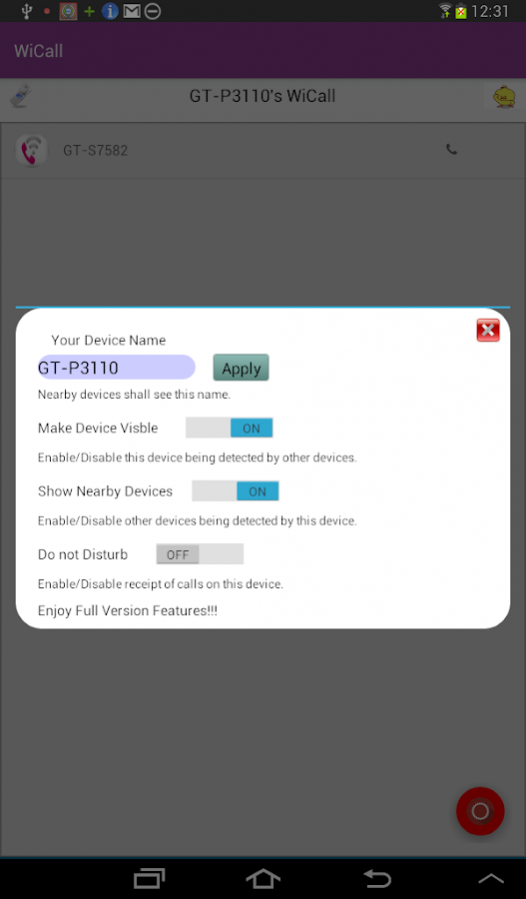
Make calls ,Send messages,Share files and Media using Wifi. With WiCall there is no need for internet connection or mobile connection to make calls,send messages and share files.
Typical range of wifi is around 100-120 meters.With WiCall it is possible to make unlimited calls,texts,share files and media with people within this range and connected to same wifi network.
Attach devices that are running WiCall app to same wifi hotspot and then make calls. send messages,share files and media between devices.
WiCall is an application that enables peer to peer voice, message and file sharing communication between Android and Windows devices.
Once connected on Wifi, the application will automatically detect nearby Android/Apple/Windows devices running WiCall and list them on the screen.
On touching a particular listed device, the application will enable calling,messaging and file sharing between two devices.
Some of the uses of WiCall are at locations where mobile data and cellular connectivity is limited like remote locations,camping sights,construction sites,villages etc.
WiCall can also be used in housing societies,building having multiple levels,adjacent shops,alternative to office/home intercom etc.
Some of the Features of Wicall :
- Auto discovery of devices registered on same Wifi Network
- Background operation i.e if device is in sleep or locked mode, it is still possible to receive incoming calls,messages and files.
- Voice Calling,Messaging and File sharing between devices on same Wifi network without use of internet or mobile connection
- File Sharing is currently supported upto 18 Mb.
By downloading and installing this software you agree to End user license agreement as specified at https://www.iiatelecom.com/eula
About WiFi Walkie Talkie app - WiCall
The company that develops WiFi Walkie Talkie app - WiCall is iia. The latest version released by its developer is 1.16.
To install WiFi Walkie Talkie app - WiCall on your Android device, just click the green Continue To App button above to start the installation process. The app is listed on our website since 2018-02-15 and was downloaded 0 times. We have already checked if the download link is safe, however for your own protection we recommend that you scan the downloaded app with your antivirus. Your antivirus may detect the WiFi Walkie Talkie app - WiCall as malware as malware if the download link to org.iiaincorp.wicallapp is broken.
How to install WiFi Walkie Talkie app - WiCall on your Android device:
- Click on the Continue To App button on our website. This will redirect you to Google Play.
- Once the WiFi Walkie Talkie app - WiCall is shown in the Google Play listing of your Android device, you can start its download and installation. Tap on the Install button located below the search bar and to the right of the app icon.
- A pop-up window with the permissions required by WiFi Walkie Talkie app - WiCall will be shown. Click on Accept to continue the process.
- WiFi Walkie Talkie app - WiCall will be downloaded onto your device, displaying a progress. Once the download completes, the installation will start and you'll get a notification after the installation is finished.
Program Details
System requirements
Download information
Pricing
Version History
version 1.16
posted on 2018-02-15
UI Changes
Upgrade to full version using Google ads
version 1.4
posted on 2015-11-07
UI changes
Disclaimer
External Download
We do not host WiFi Walkie Talkie app - WiCall on our servers. We did not scan it for viruses, adware, spyware or other type of malware. This app is hosted by Galad and passed their terms and conditions to be listed there. We recommend caution when installing it.
The APK Download link for WiFi Walkie Talkie app - WiCall is provided to you by apps112.com without any warranties, representations or guarantees of any kind, so access it at your own risk.
If you have questions regarding this particular app contact the publisher directly. For questions about the functionalities of apps112.com contact us.
